Easy English

EnglishClub

  • Web app
  • Mobile prototype
  • Education

My final Ironhack bootcamp project, partnering with a real client: EnglishClub.com. The brief was to create a gamified English quiz app for beginners. We removed logins, optimised for low‑bandwidth environments and designed a friendly interface that tracks growth locally, enabling users to learn anywhere with or without Wi‑Fi.
  • Product Designer
  • 2 members
  • 2 weeks
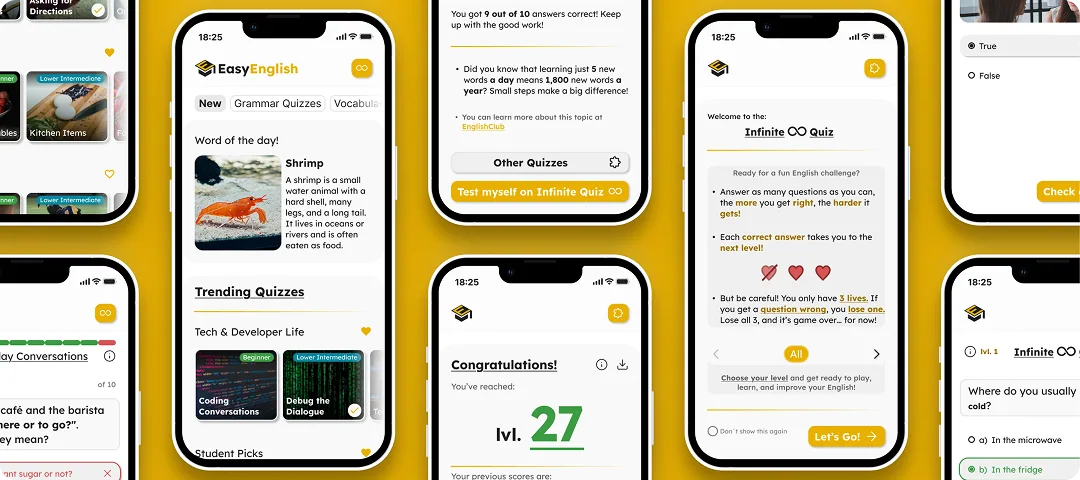
Cover for the EnglishClub case study: several phone screens from the quiz app.

Challenges

We had to create a motivating learning journey without profiles, logins, or cloud storage. We also needed the app to feel instantly personal and valuable for beginners, ensuring progress was visible from the first tap, even offline.
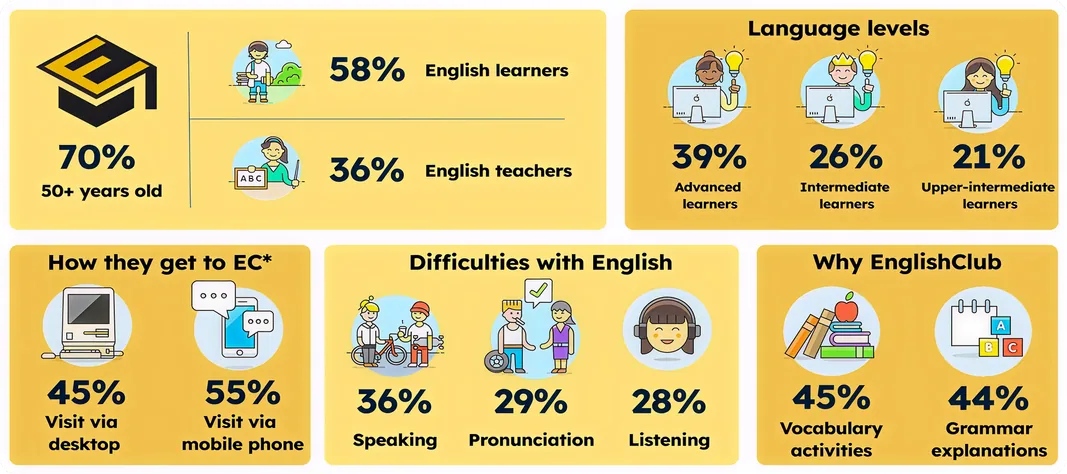
Research board: the share of learners and teachers among users, their language levels, how they reach the site, their difficulties with English, and why they use it.
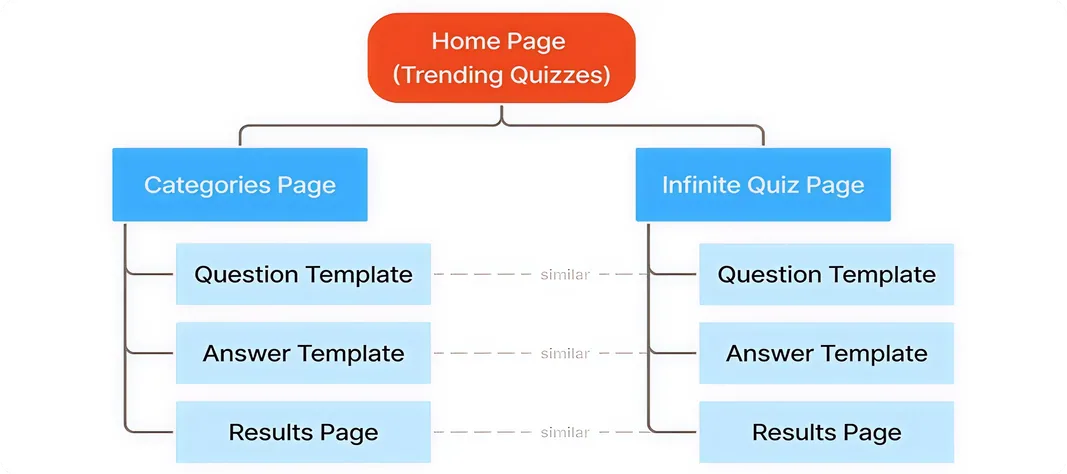
Sitemap: the home page branching into a categories page and an infinite quiz page, each with its question, answer and results templates.

Achievements

• Delivered a responsive prototype that enabled the company to explore a new beginner focused product and expand into a new audience segment.

• Simplified the technical stack by designing a no‑login progress system, making implementation and maintenance leaner.

• Provided clear documentation and a consistent design system for the client’s team to guide future development and marketing.
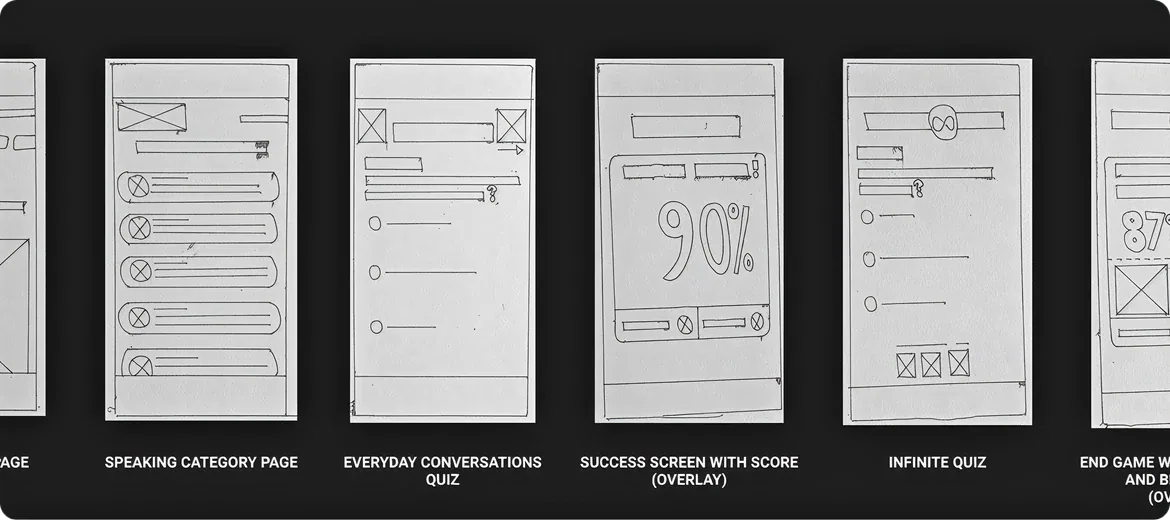
Six hand-drawn wireframes of the app, each labelled with the screen it sets out.
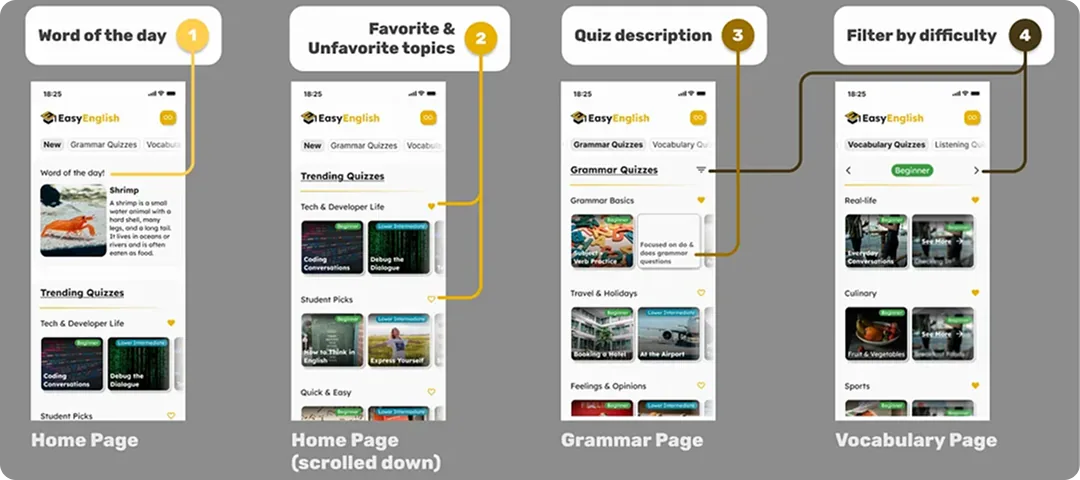
Four app screens annotated in order: the home page, the home page scrolled down, the grammar page and the vocabulary page.
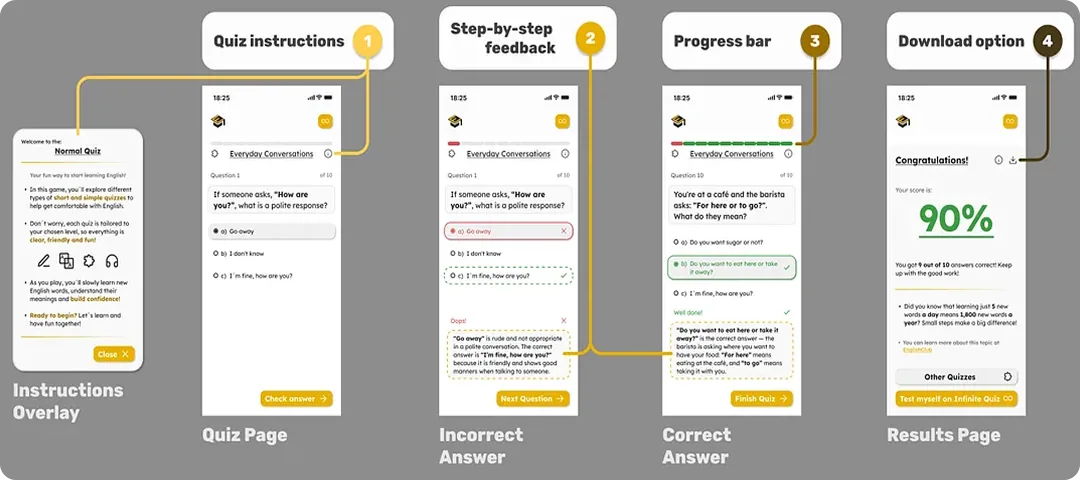
Five quiz screens annotated in order: the instructions overlay, the quiz page, an incorrect answer, a correct answer and the results page.
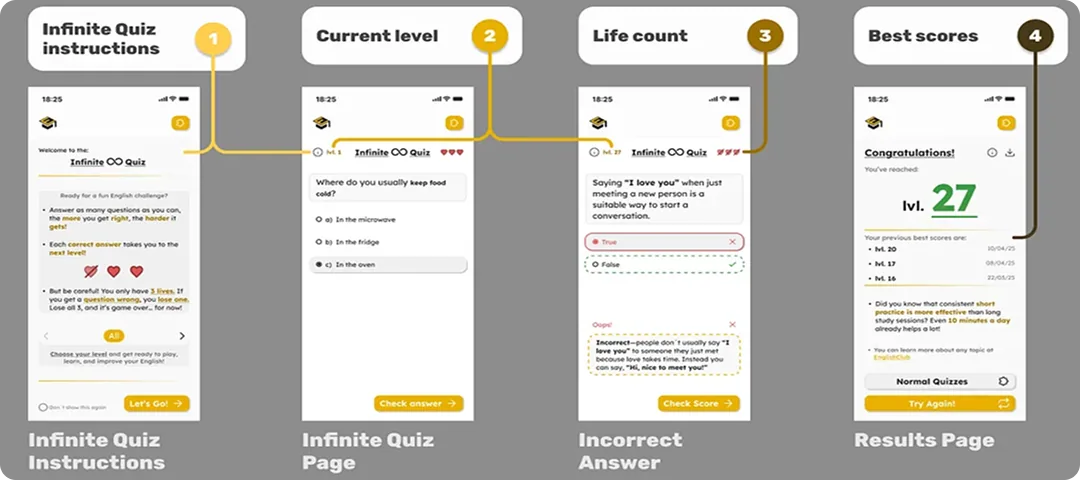
Four infinite quiz screens annotated in order: the instructions, the quiz page, an incorrect answer and the results page.
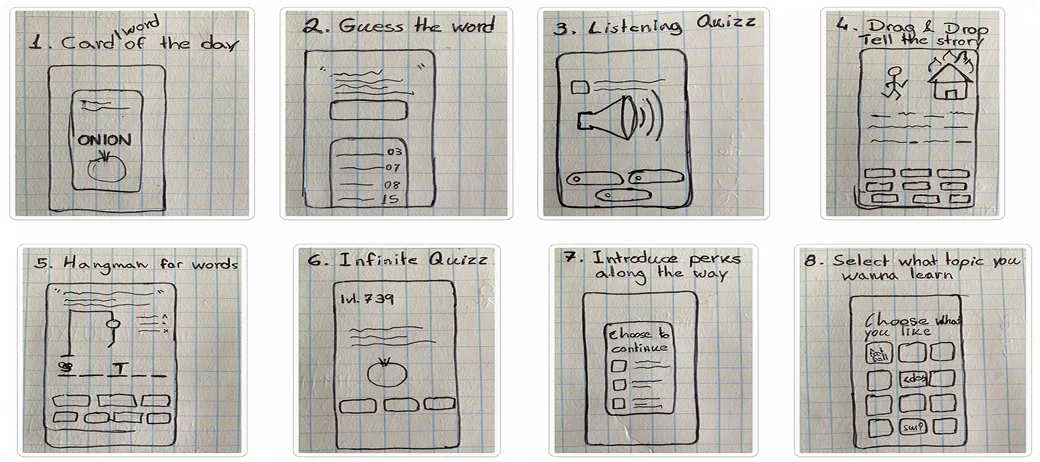
Eight numbered concept sketches on squared paper, one per idea for the app.
Four app screens annotated in order: the home page, the home page scrolled down, the grammar page and the vocabulary page.
Five quiz screens annotated in order: the instructions overlay, the quiz page, an incorrect answer, a correct answer and the results page.
Four infinite quiz screens annotated in order: the instructions, the quiz page, an incorrect answer and the results page.